Consultant. The clinical lead.
Your menu: Dashboard, Patients, Schedule, Prescription, Access requests, Follow-ups, Attendance, the Clinical library (Forms, Parameters, Exercises, Prescription sets, Form presets, Plan library), My activity and My incentive. You can read and write the clinical record of every patient of the centre.
Open a treatment episode
Patient page > New episode: the chief complaint, start date and therapist (optional). A new condition is a new episode; old ones stay as they were. The episode page holds everything clinical for that condition: overview, assessment, problems and goals, sessions, outcomes, exercise, reports, files and access.
Write a prescription
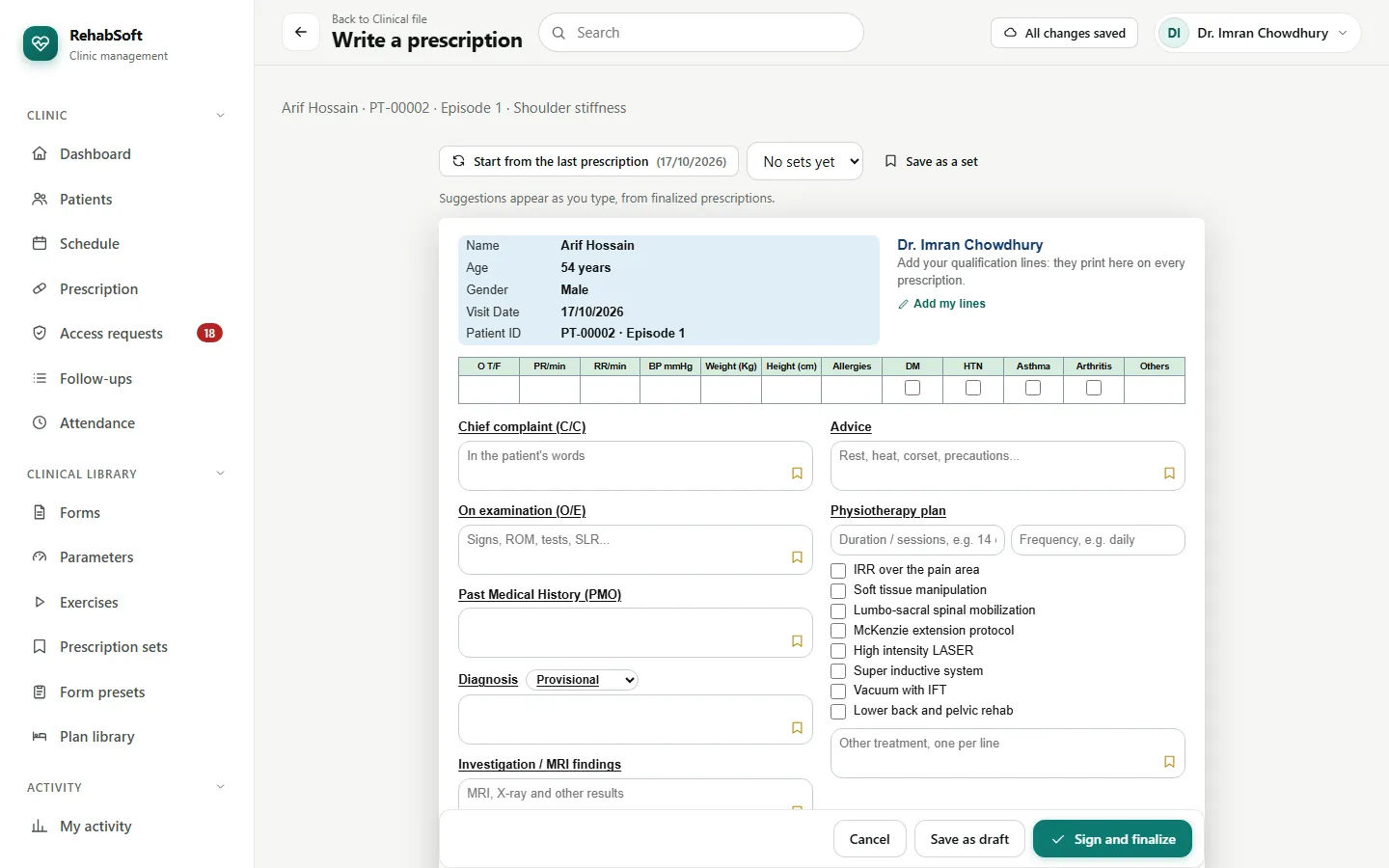
Patient page or episode page > Write prescription.
The page looks like the centre's A4 pad. Click any box to see the centre's ready lines, your saved lines and lines used before. The bookmark on a box saves the line you are writing.
Add a medicine with dose and frequency; the SOS switch next to Medicines marks them "as needed".
Tick the physiotherapy plan from the treatment list; choose a recommended therapist only if you are recommending one.
Start from the last prescription copies the previous one (not the vitals, follow-up or signature).
Save as draft keeps it private to you. Sign and finalize stamps your name, credentials, registration number and signature, and adds a verification code and QR code.
Print preview shows the A4 pages.
A signed prescription is never edited. To correct it, Replace it with a new one and give the reason. Anyone holding the paper can check it by scanning its QR code or opening the verification address with its code.
Save as a set keeps a whole prescription as a starting point (Clinical library > Prescription sets). Add your qualification lines once with Add my lines; they print on every prescription.
Treatment plan and the plan library
- Episode page > Treatment plan > Set the treatment direction: diagnosis, precautions and instructions. Therapists' changes to the plan wait for you.
- On the plan page, Insert from library (filter by body region and condition) fills only the empty boxes; it copies, never links. Save to my library keeps the plan without patient details.
- Clinical library > Plan library: your own plans are private; the Centre Owner's are the centre's; you may offer yours to the centre and the owner approves them.
Access requests
Access requests lists therapists waiting for access to an episode, after Reception assigned them or when they pressed Ask for access (their reason is shown). Approve, Decline, or later End access.
Forms and parameters
You can build forms from the parameter library and propose new parameters. How it works is on the Centre Owner page; anything you build waits for the owner before the whole centre uses it.