Register a patient. Book the course.
A new patient at the desk, from the first form to a booked course of sessions.
Register
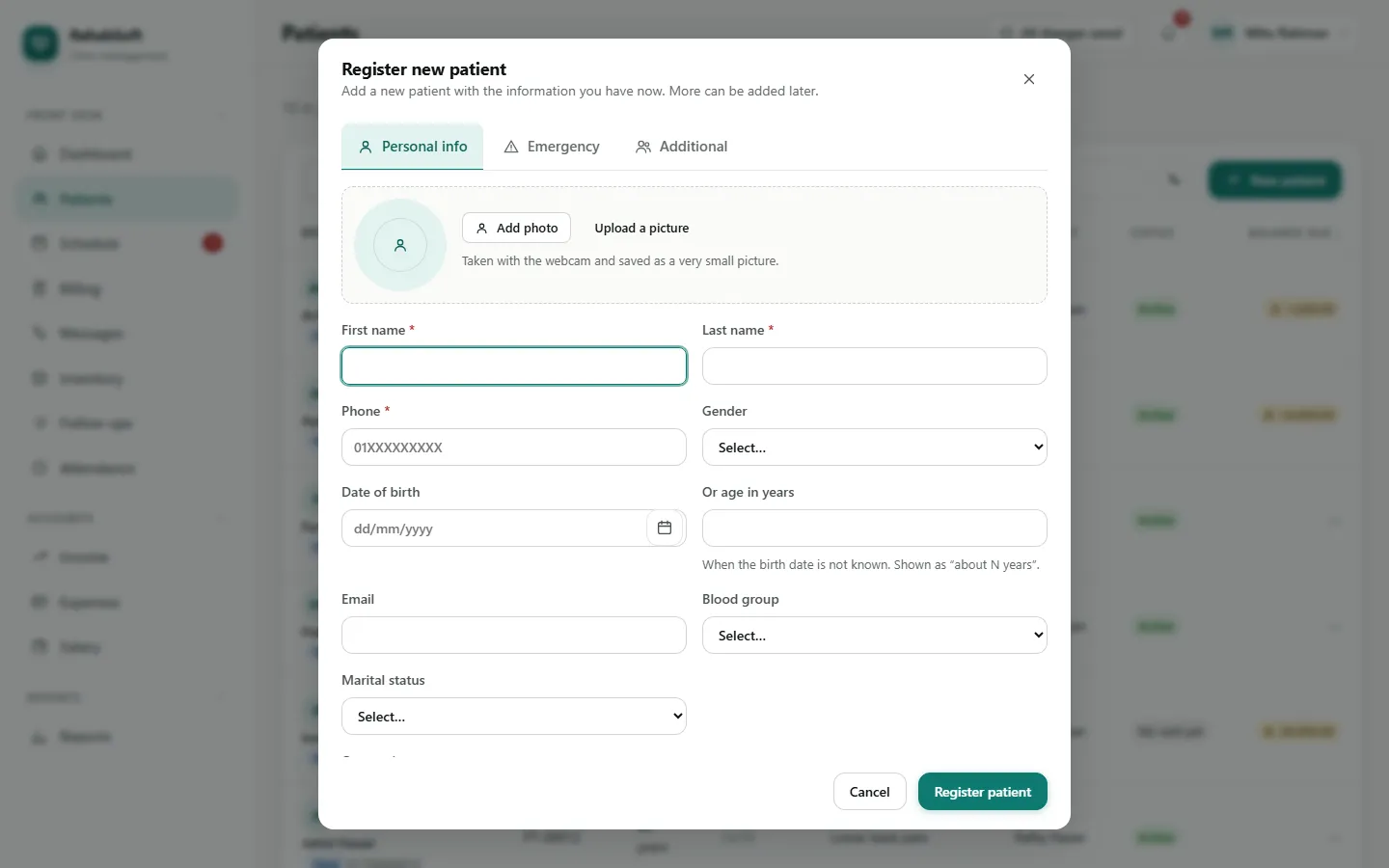
Open Patients and press + (New patient).
Type the first name, last name and phone. Add the date of birth, or only the age if the birth date is not known. A photo can be taken with the webcam.
On Emergency add a contact; on Additional the referral source and referring doctor, which the incentive rules and reports use.
Press Register patient. If another patient already has this phone, you are shown them first: a family can share a number, and a real duplicate is not created by mistake.
Busy desk? Show the patient the QR code (the phone button next to New patient). They fill the form on their own phone, and it waits at the top of Patients for you to Review and accept.
Book several visits
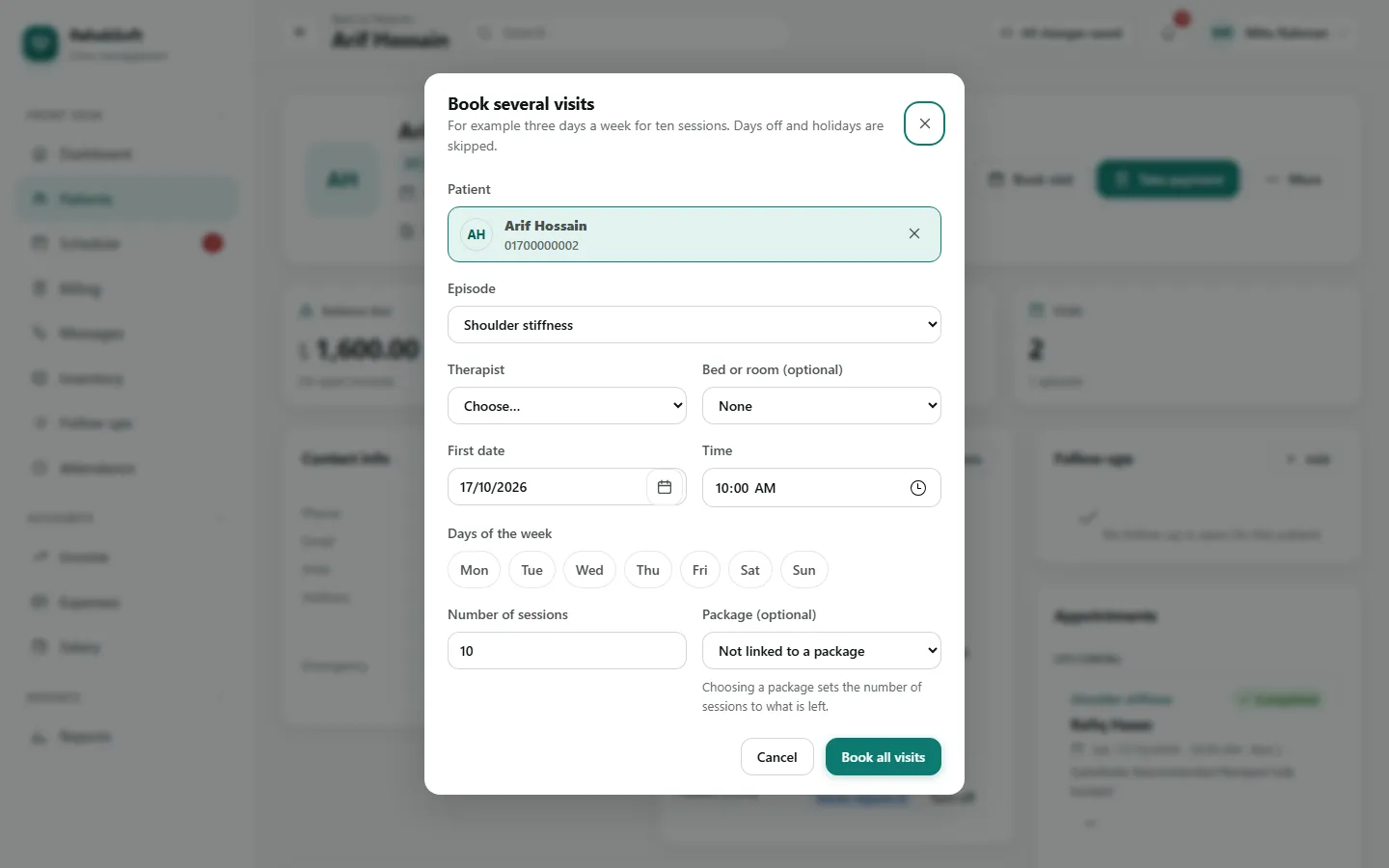
On the patient's page press Several visits.
Choose the therapist, the first day, the weekdays (for example Sunday, Tuesday and Thursday), the time and the number of sessions.
If the patient bought a package, choose it, so each completed visit uses one of its sessions.
Save. Days off and holidays are skipped and listed. If the therapist is busy, off shift or on leave on any date you see why, and confirm only if it is right.
The patient gets one text with the number of visits and the first date, if SMS is switched on for your centre.
One visit, or from the grid
For a single visit use Book visit on the patient page or on Schedule. In Schedule > Grid or Week, click any free cell: the booking opens with that time and therapist already filled in.