Write a prescription. Sign it once.
The prescription screen looks like the paper your centre already uses, so nothing has to be learned twice.
Write
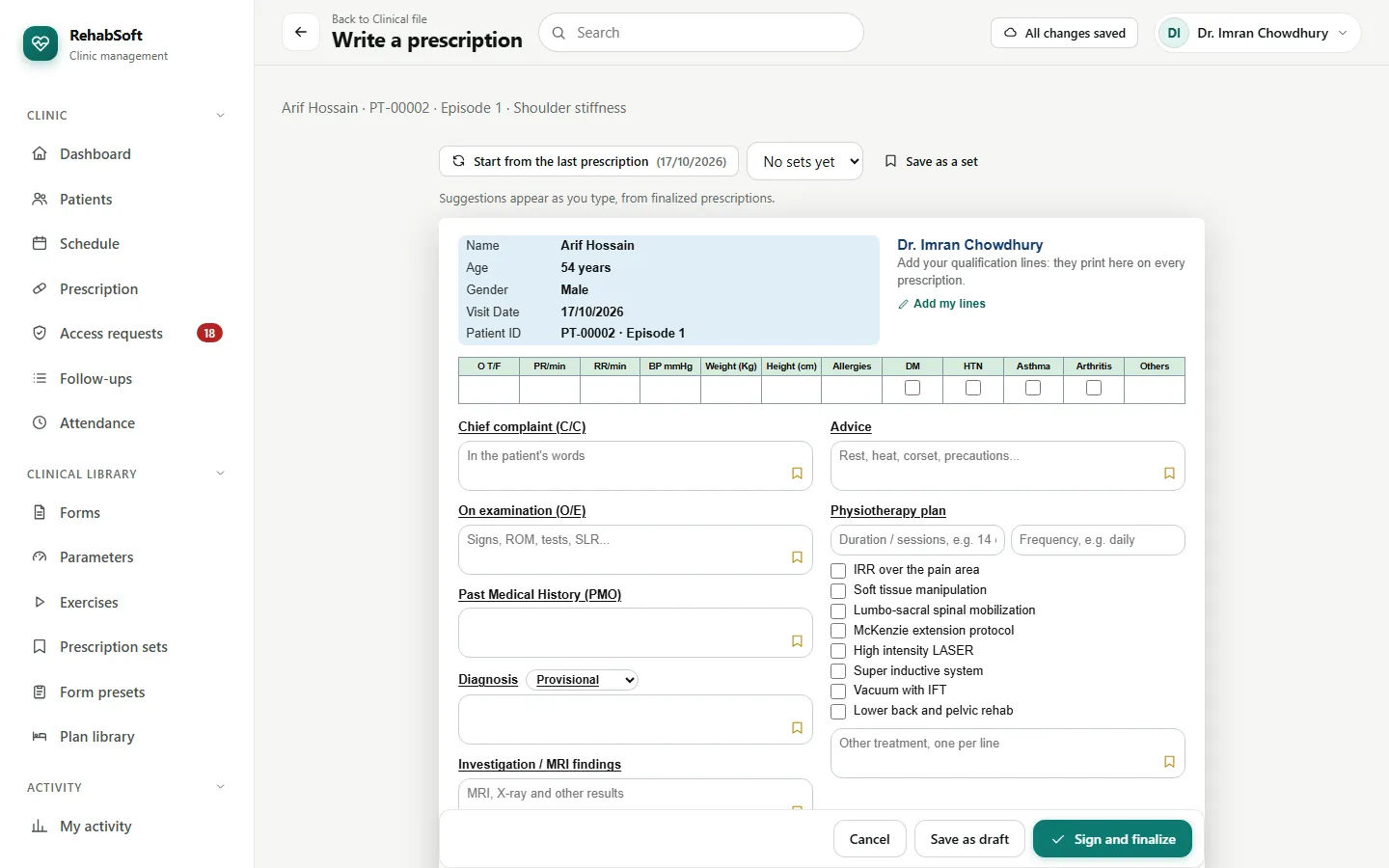
Open the patient, then the episode, and press Write prescription. The patient's name, age, gender, ID and today's date are already filled in.
Fill the vitals row and the boxes: chief complaint, examination, history, diagnosis (provisional or final), investigations and advice. Click any box for the centre's ready lines and your own saved lines; the bookmark saves what you typed for next time.
Add a medicine with dose and frequency. The SOS switch marks them "as needed".
Tick the physiotherapy plan from the treatment list, with duration and frequency, and choose a recommended therapist if you want one.
Start from the last prescription copies the previous one. A prescription set (Clinical library > Prescription sets) starts a common case in one click.
Sign
Save as draft if you are not finished; only you see a draft.
Sign and finalize stamps your name, qualification lines, registration number and signature, and adds a verification code and a QR code.
Print preview shows the A4 pages exactly as they will print on your pad.
A signed prescription is never edited. If something is wrong, Replace it with a new one and give the reason; the old one stays, marked as replaced. Anyone holding the paper can scan the QR code to see that it is genuine.