Invoice and payment. Every taka in its place.
Money in RehabSoft is never edited away: a mistake is corrected by a new entry that the owner approves. That is what keeps the day book, the reports and the incentives in agreement.
Make the invoice
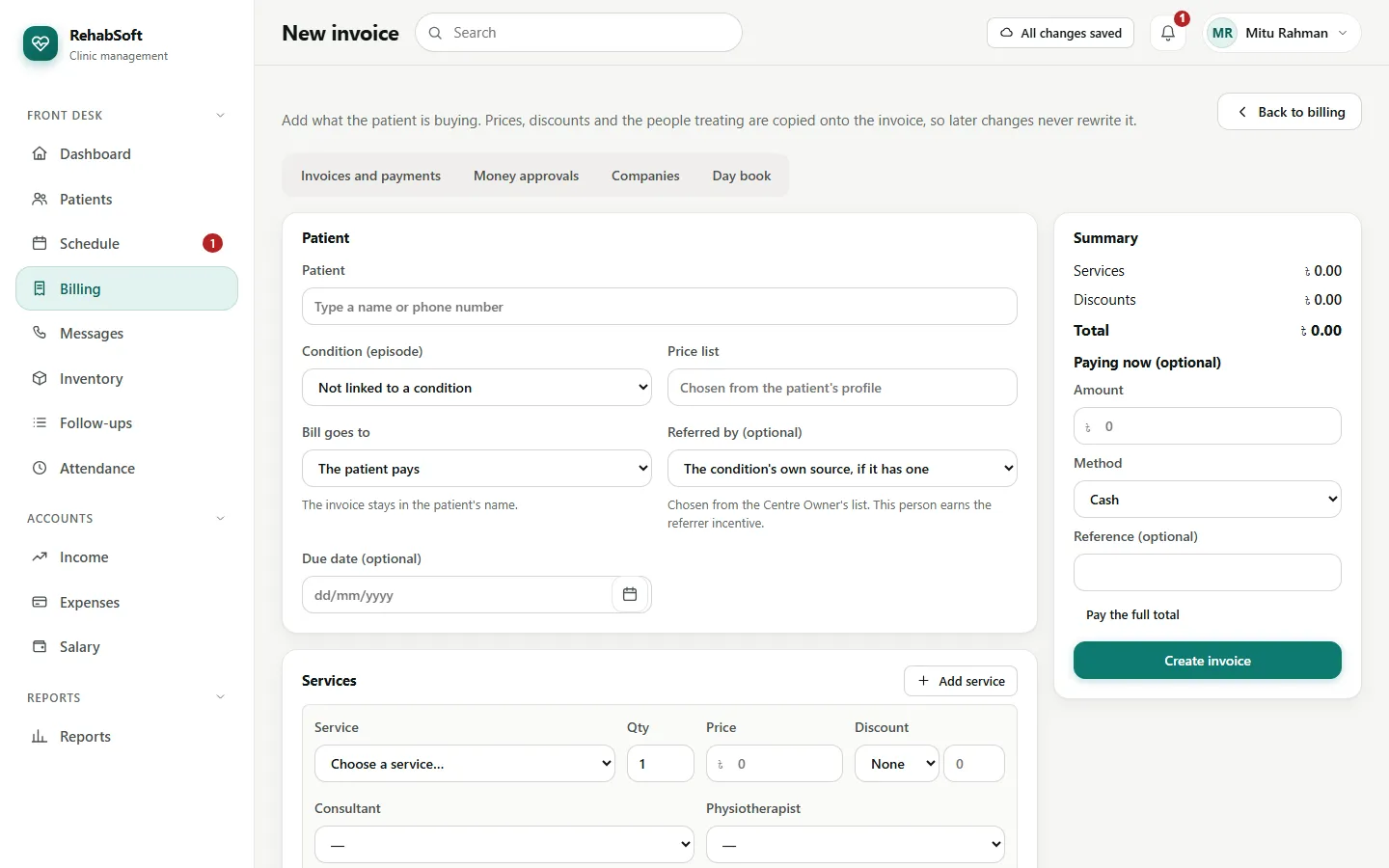
From the patient's page, or Billing > New invoice.
Add service for each line: a package of sessions, a single session or a consultation. Choose the category (for example Standard or Corporate); the price follows it.
Add a discount if needed. Above your limit it goes to the Centre Owner and the invoice waits for them.
Create invoice. Tick Pay the full total to take the whole payment now.
Take a payment later
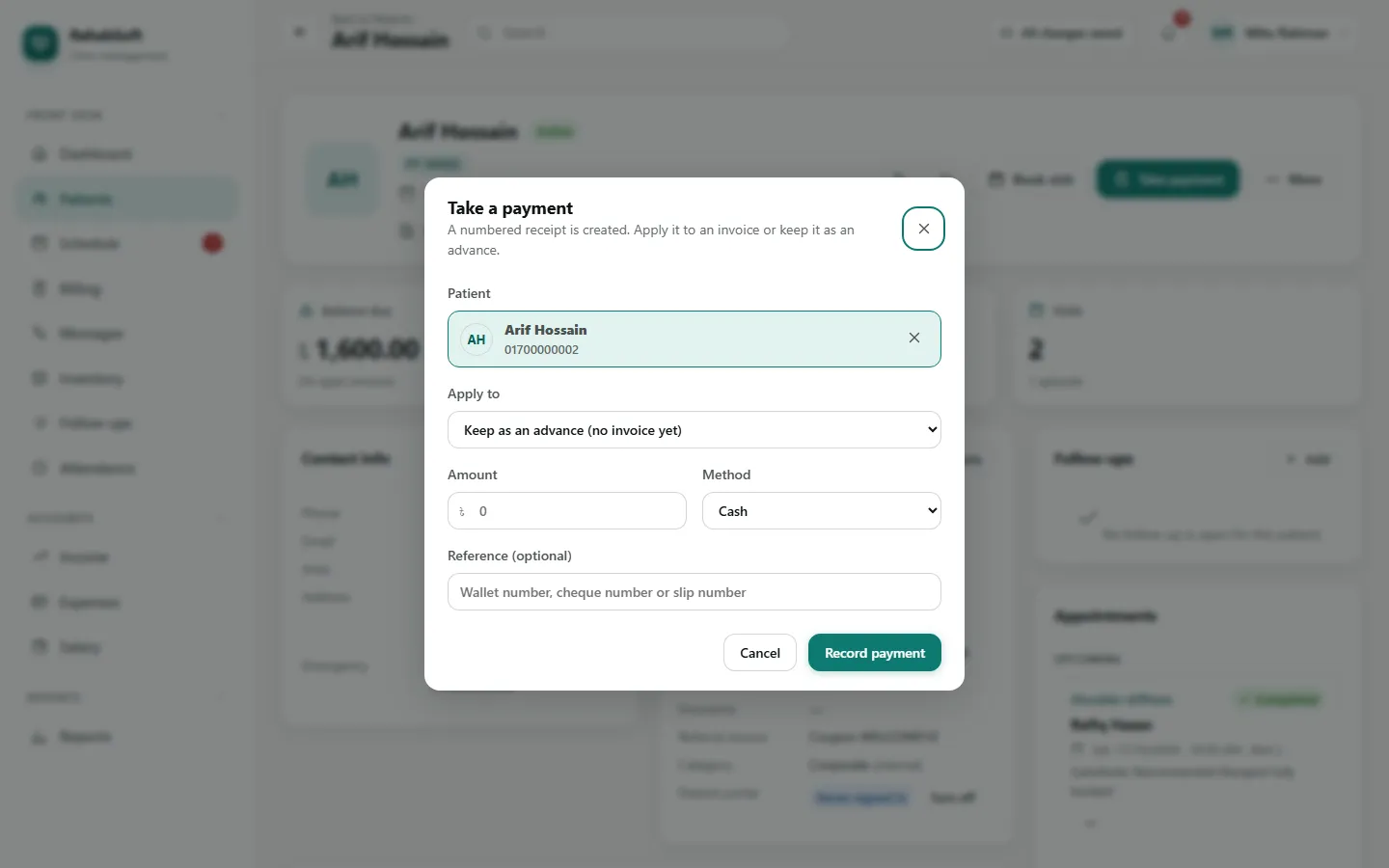
Press Take payment on the patient page or in Billing.
Type the amount and choose the method: Cash, Mobile wallet, Card, Bank transfer or Cheque.
Apply it to an open invoice. Money paid before there is an invoice is kept as an advance and applied later.
The receipt
Billing > Payments > Receipt prints it on A4, A5 or an 80 mm thermal printer, with the amount in words. The first print is the original; every later print is marked as a copy.
Never type over it. Use Send request to ask for a reversal, refund or waiver; the Centre Owner decides in Approvals, and both entries stay in the books.