Text your patients. One SMS each.
Booking confirmations, reschedule notices and the morning reminder go out on their own. Four more ready messages go only when someone presses Send.
What goes out on its own
- Booking confirmation as soon as a visit or a course is booked, within about a minute.
- Reschedule notice when a visit moves.
- Morning reminder on the day of the visit, when the centre opens.
Nothing goes to a patient marked "do not text", or to one without a phone number.
Send a ready message
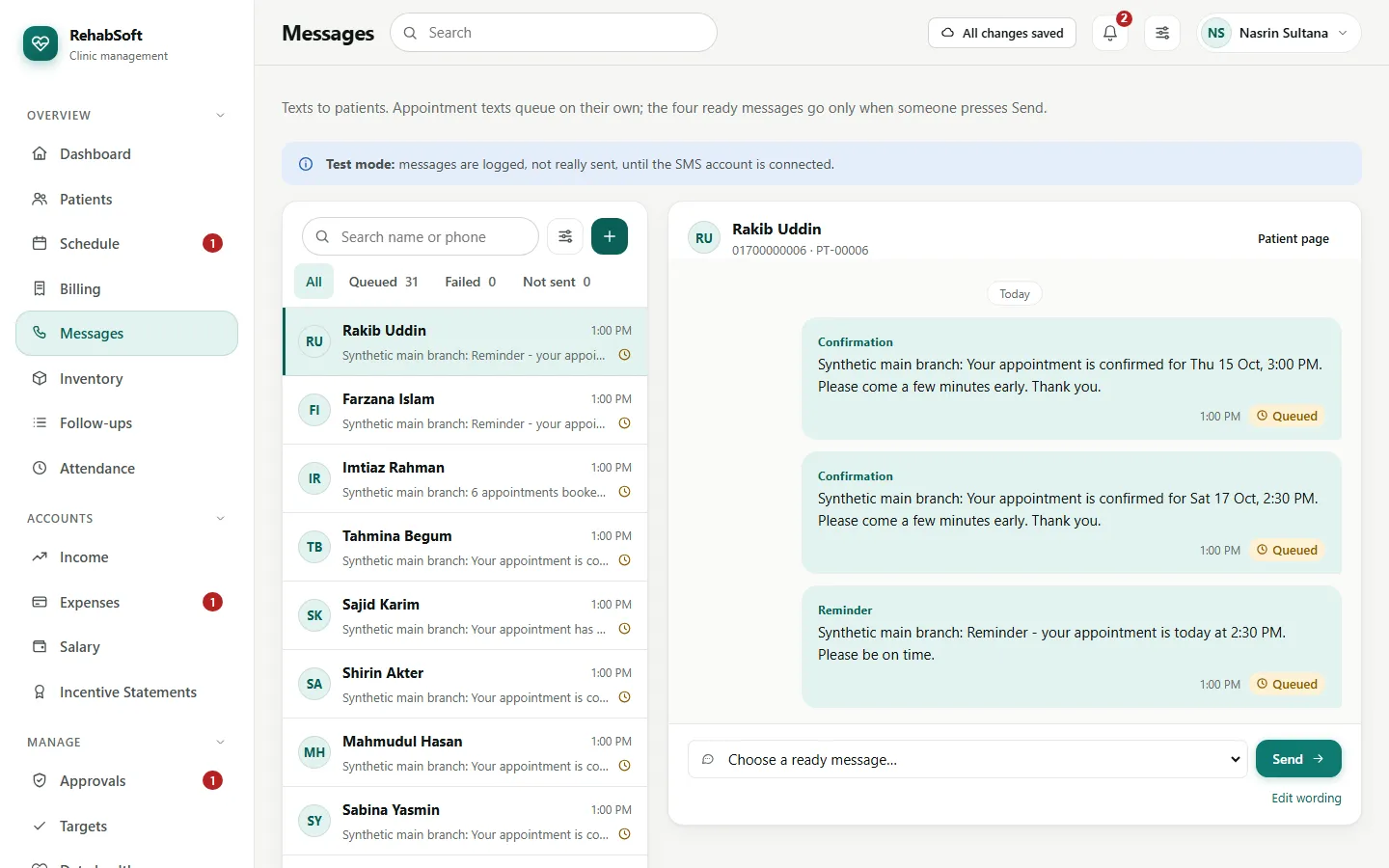
Messages > choose the patient > choose the message: No-show follow-up, Package running low, Dues reminder or Birthday. Or Send a text on the patient page.
Read the text shown, with the numbers filled in, and press Send. It goes at once.
Pressing it twice the same day sends nothing more: "Already sent to this patient today".
A failed text shows in red with the reason; press Resend once the cause is fixed.
The wording (Centre Owner)
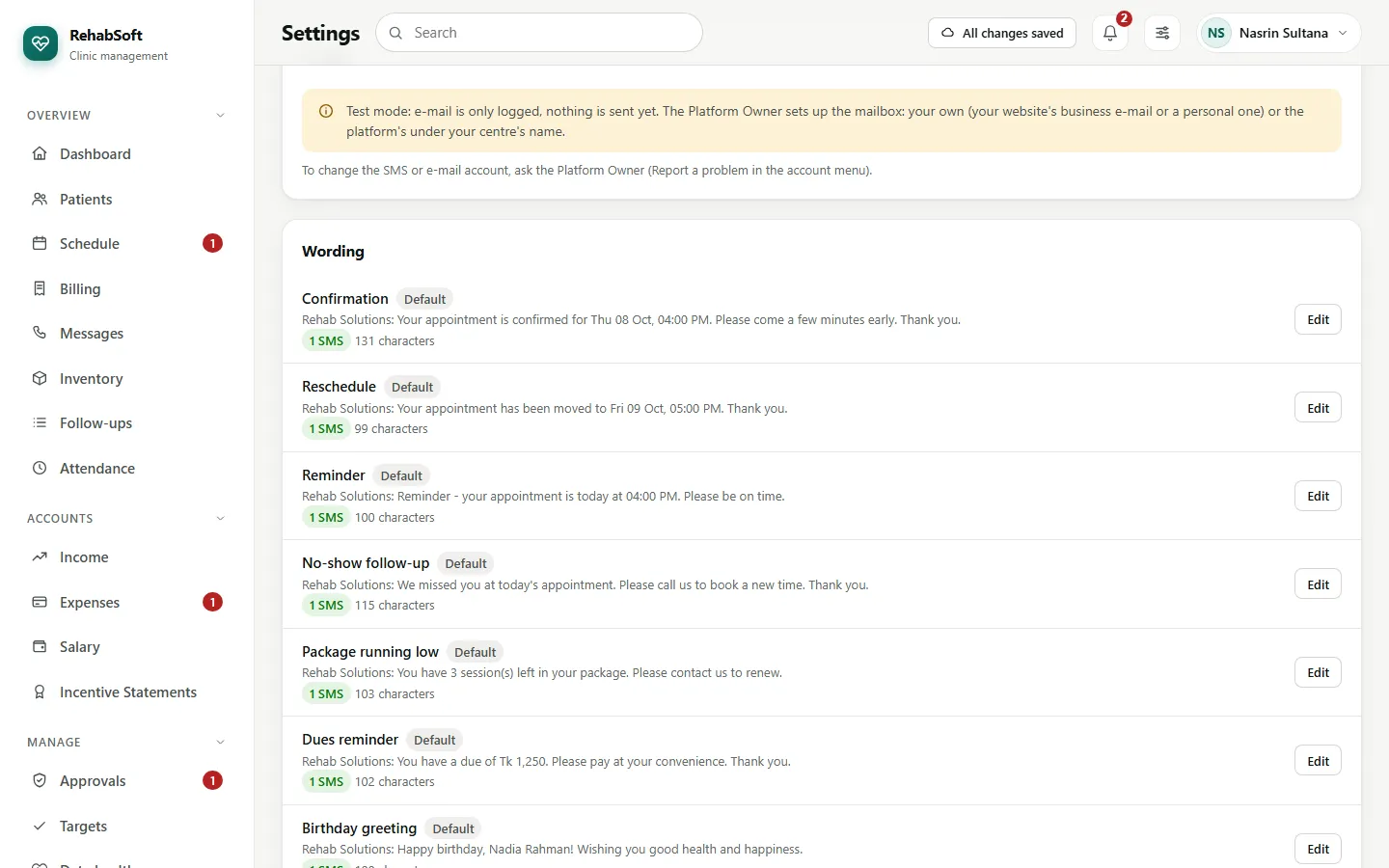
Settings > Messaging > Edit on any of the seven texts. Use only the placeholders offered, such as {centre} and {when}; a wrong one is refused when you save. Each text shows its length and how many SMS it costs.
Plain English fits 160 characters in one SMS. Bangla or a special sign such as the taka sign allows only 70, so the same text usually costs two. The built-in texts are written to cost one.