Record, sign, show progress. On one page.
Everything clinical about one condition lives on its episode page: the plan, every signed record, the measures over time, exercises and reports.
The episode page
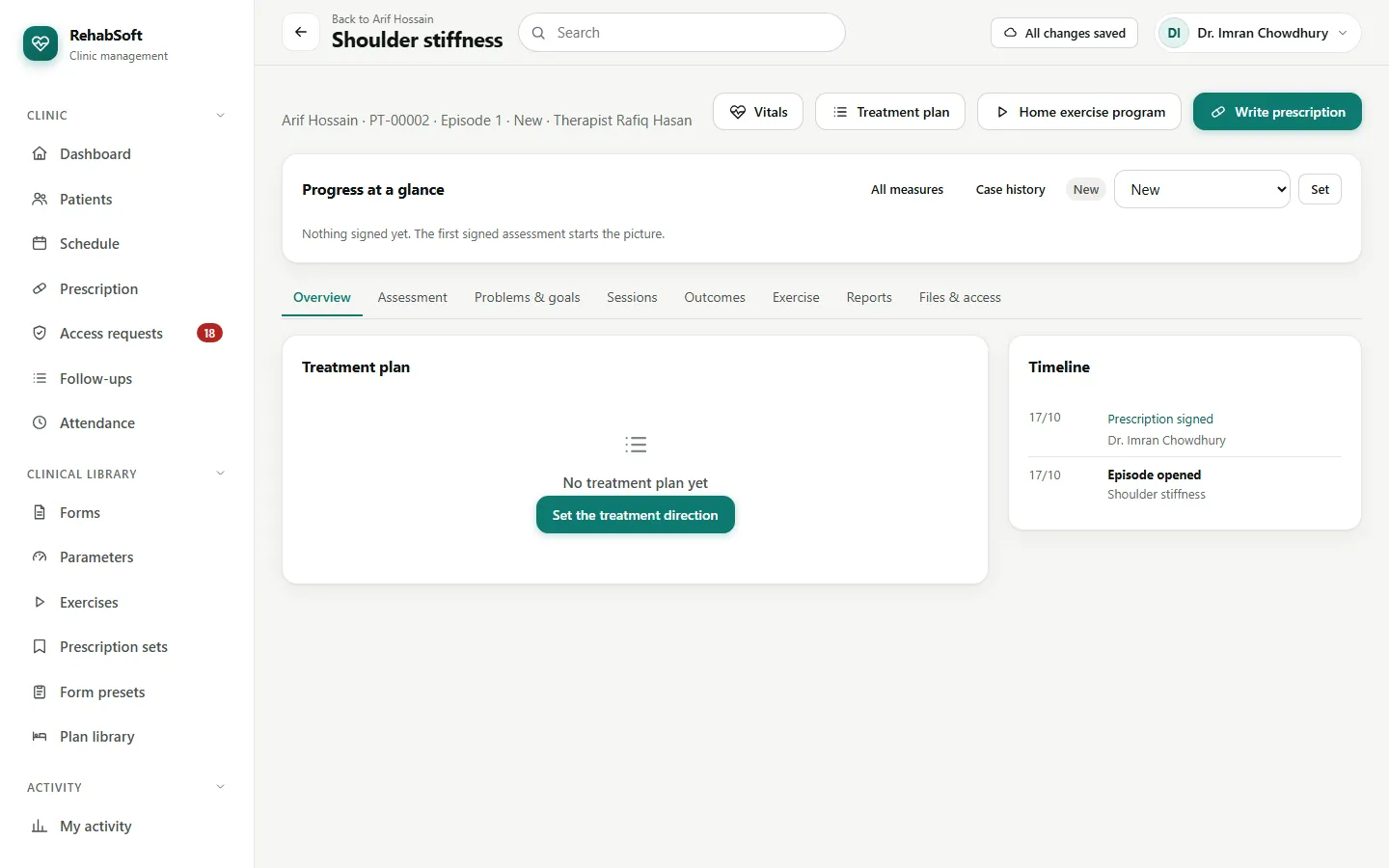
Open the patient, then the episode. The buttons at the top are Vitals, Treatment plan, Home exercise program and Write prescription; the tabs below hold the records.
Write a record
Choose a form (assessment, progress review or SOAP note) and press Start. Tick to begin from the patient's last signed record of the same form, or pick a preset for the condition.
Fill the measurement tables, the body chart and the notes. Save draft keeps it private to you.
Finalize and sign locks it with your name and the time. Measures from signed records appear in Progress at a glance.
Something to correct later? Revise makes a new version; Add addendum adds a note; Mark as entered in error for the wrong patient.
Home exercises
Home exercise program: choose exercises from the library, set sets, repetitions and how often, then issue and print it. Patients who use the portal report each day how it went, and high pain is shown to you.
The progress report
Make a progress report compiles the measures from signed records into one document. You write the impression and the plan, sign it, and print it for the patient or the referring doctor.
Another therapist's notes are hidden. If you covered a visit, press Ask for access on the episode and say why; a consultant decides.